N
Natasha Englehardt
Guest
- Thread Author
- #1
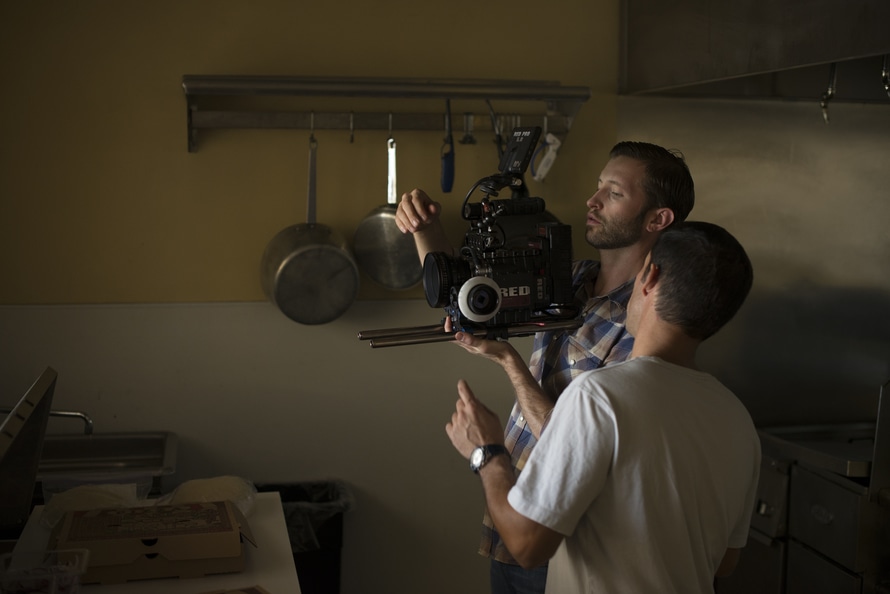
Learn Video Production Tips from the Professionals.
Everyone seems to be creating video content now—unfortunately, not everyone knows how to create good video content! With a few video production tips from the pros, however, you will be well on your way to making some awesome videos. Here are our best pro tips for video production.
Want to learn more video production with hands-on instruction? Visit these pages: BS Degree: Digital Video Production or Diploma: Digital Video Production.
Pre-production
Just getting started? Make sure you’re fully prepared with these pre-production tips:
Plan and get organized
Never just “wing it” or assume you can work out the details as you go. How good your video looks is in large part proportional to how well prepared and organized you are. Don’t waste time scrambling to figure out last second logistics; plan out shots, scenes, dialogue, and everything else beforehand so you can focus on the task at hand.
Know your audience
Always have your target audience in mind. This understanding should shape decisions about dialogue or narrative, scene lengths, the length of the entire video, and how much detail goes into the video.
Give yourself lots of time
Give yourself far more time to shoot than you think you need. Shooting frequently takes far longer than even experienced directors think it will take. If you have extra time, great! You’re ahead of schedule. If you don’t leave enough time, though, you’re stressed and behind the eight ball.
Know your equipment
Know each piece of equipment you’re using inside and out before you ever get to the shoot. Make sure you’re ready for every contingency. Even the best planned shoots have unexpected problems, so don’t add to that list with avoidable technical issues springing from your own inexperience on your equipment.
Be choosy when you cast
This video is your baby. Make sure you choose great actors, spokespeople, or other subjects for it.
Write scripts
We know, you love improv and your actors are brilliant. Or it’s just a short marketing or how-to video you could make in your sleep. Or you’re making a documentary that’s all about what your subjects are saying. Write a script anyway! Everyone thinks they can wing it on video. Almost no one is right, though, so don’t chance it.
Choose appropriate locations
Your mom’s basement doesn’t look like an office building, and your office doesn’t look like a swanky apartment. Don’t settle for “set dressing”; find real locations that work.
Production
Now it’s time to create your awesome footage—let’s avoid any do-overs by doing things right the first time:
Sound quality matters
Bad sound quality is one of the most obvious signs of amateurish videography. Eliminate background noise before you shoot, because editing won’t get rid of it. Use lapel/lavaliere mics or a boom mic for interviews. If you don’t have a boom operator, use a C-stand and a boom holder.
Have systems for your media and batteries
You will need fresh batteries at hand, so don’t mix up dead and charged batteries; keep them organized in a system. Do the same with your media cards.
Lead room and head room
Lead room is the space you leave in front of people and things that aren’t facing the camera; this gives you balance within your frames. Head room is just the space between the head of the shot’s main subject and the top of the frame. You don’t want too much space, or to cut off their head.
Use a furniture dolly in place of a Steadicam
For those without the budget for a Steadicam or dolly track, using a furniture dolly is the perfect $20 option.
Lighting
Use lights to get rid of unintended shadows and keep your subjects looking like you want them to look. A light kit is always the best option; a standard lighting set-up uses 3-point lighting consisting of the key light in front of the subject, the backlight behind the subject, and the fill light to the side of the subject. All three should be at 45º angles above if possible.
Remember, too much bright light behind your subject causes them to look “backlit” and obscures them. This is even worse if your camera has auto exposure.
If you don’t have a lighting kit, use natural light from a window and a reflector to maximize your results.
Your best shots
Always use a level tripod. Your hand isn’t steady, believe us. Ensure your camera is white-balanced and in focus. White balancing just tells the camera what “white” is based on the lighting in use so that nothing looks discolored. Avoid using autofocus on your camera. Instead, set up your camera where you want it, and then zoom in as far as you can. Finally, adjust the focus and then zoom back until you achieve your shot.
And remember, no matter what device you’re using, never shoot vertical video.
Hold shots
Don’t forget your hold shots so you can edit; hold 5 to 10 seconds for still shots and 5 seconds before and after a move like tilting or panning.
Obey the rule of thirds
This principle of composition allows you to create more interesting, well-balanced shots. Break each shot into thirds both horizontally and vertically. Then frame the shot so that your most important elements are along the lines—ideally at one of the four places where the lines for the vertical and horizontal thirds intersect.
Post-production
Now’s your chance to get it just how you want it, so here are our best video post-production tips:
Edit, edit, edit
Cut out everything that doesn’t absolutely add to the video. Make every second count.
Use your b-roll
Use b-roll to camouflage your cuts and enhance narrated sections.
Optimize video text
Any text you use should stay on the screen long enough for you to read it twice. Choose simple, classic type.
Video transitions
Cross dissolve and fade to black are the most commonly used transitions. Use others with great care; they tend to be distracting and look dated.
Conclusion
Producing great videos that stand out from the rest isn’t a no-brainer; it takes time and effort. However, it’s probably easier than you think, and it doesn’t require a hefty budget. More than anything, these video production tips from the pros highlight the fact that your attention to detail, capacity for planning, and dedication to getting everything just right are what sets your video apart.
The post Video Production Tips from the Professionals appeared first on Platt College San Diego.